
GoCardless Onboarding
GoCardless is Acquired's third-party provider for Direct Debit.
Onboarding directly with GoCardless
You will need to complete the below tasks:
- Agree commercials & sign contract with GoCardless
- Create a GoCardless account with the following link and complete their KYC steps:
- GoCardless may provide you with a high risk form to complete if you provide services that they deem high risk such as lending.
Custom Payment Pages Approval
Custom payment pages are the screens in your own environment that capture your customers' bank details and set up the Direct Debit Instruction (mandate). These typically include:
- Information entry page
- Summary & confirmation page
- Set up success page
As a Direct Debit mandate is governed by the Bacs scheme, there are mandatory requirements covering what these screens must capture and display such as the wording of certain notices, the Direct Debit Guarantee, and advice of the payer's right to cancel.
Approval is a requirement before go-live. Your pages cannot be used in production until they have been approved. Once they're built, send screenshots of each screen to [email protected]. We'll share these with GoCardless for approval and confirm the outcome back to you.
We'd recommend submitting your screens as early as possible, as any changes required will need to be made and re-approved before you can go live.
Full details of what you need to adhere to when building your pages are set out here:
Custom notifications
Once a mandate is in place, Bacs scheme rules require your customers to receive certain notifications about their Direct Debit. There are two types:
- Direct Debit setup confirmation: confirms to the customer that their mandate has been set up correctly. This must reach them within 3 business days of them providing their details.
- Advance notices: inform the customer when a payment is coming and how much it will be. These must reach them at least 3 business days before the payment is collected, and are required for one-off payments, subscriptions, and any changes to an existing mandate.
There are two routes available to you:
- GoCardless notifications (recommended). GoCardless sends these notifications on your behalf using their own templates. There is nothing to build and no approval process to go through, so this is by far the quickest route to go-live.
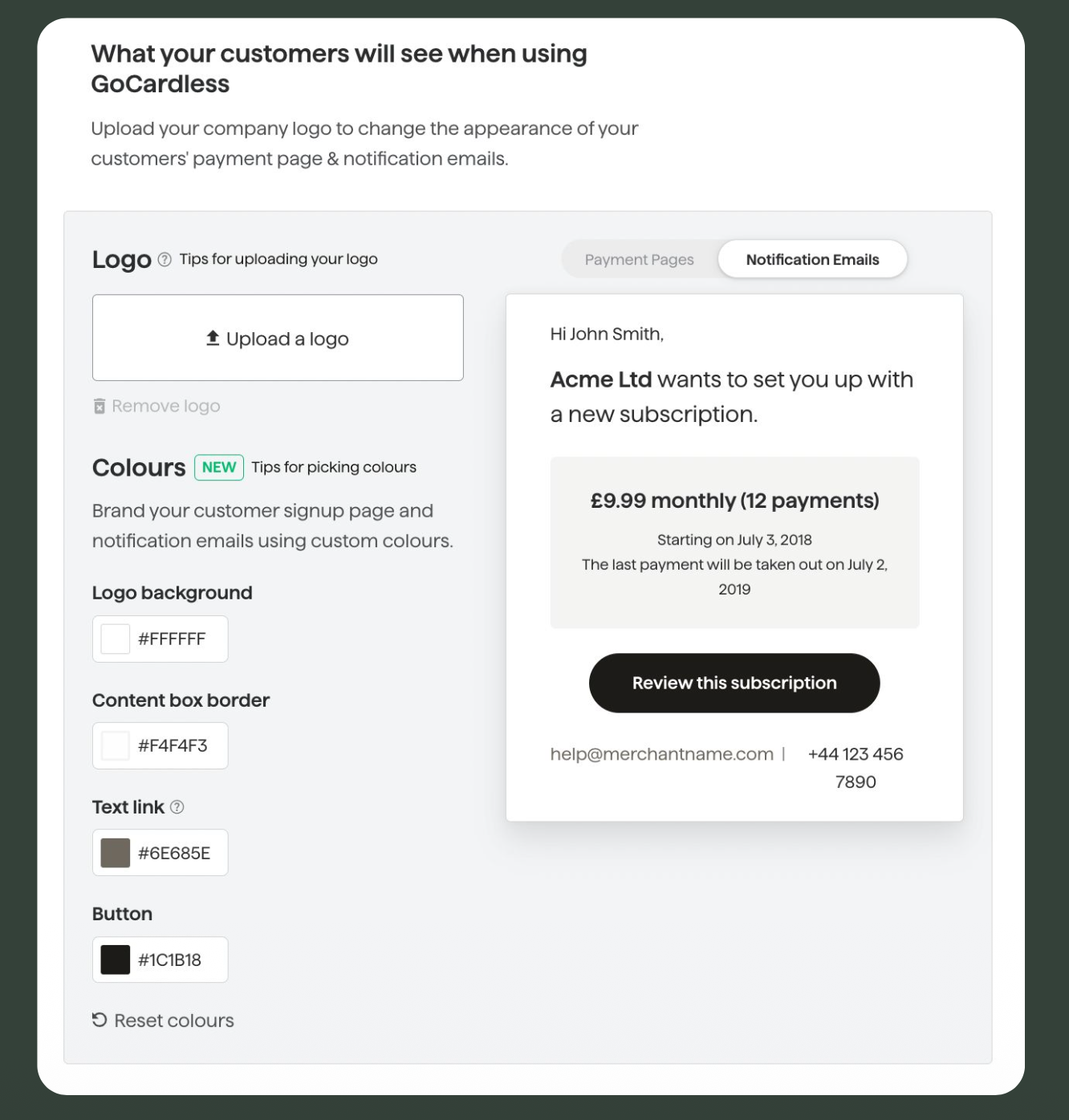
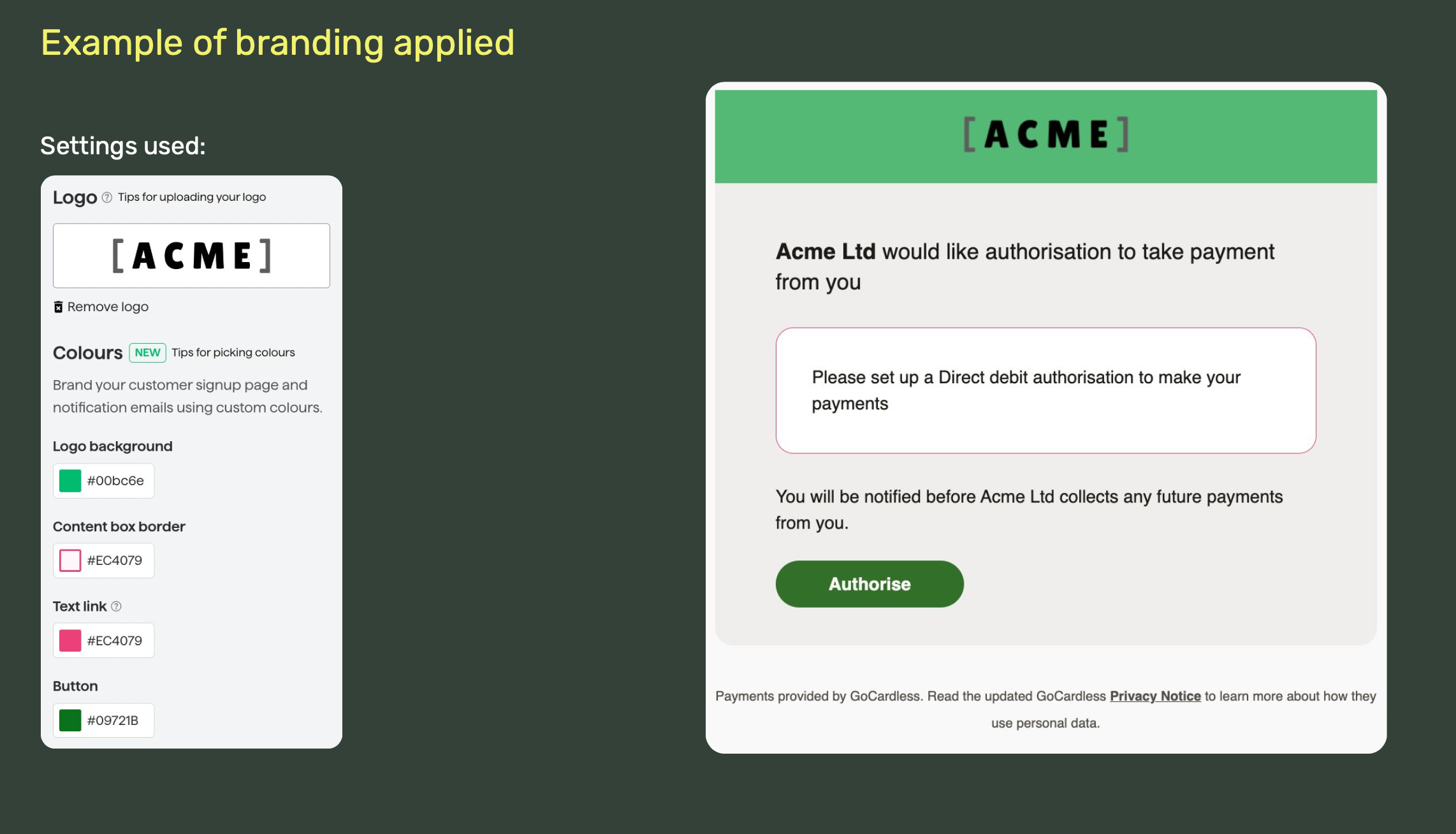
- You can customise these notifications with your own brand logo & colours and information on this can be found here: https://manage.gocardless.com/setup/brand
- Example of this process outlined below:
- Custom notifications. If you'd prefer to handle sending out your own branded notifications, these must be built to the requirements set out in the guide below:
- As with custom payment pages, they must be approved before go-live. Send examples of each notification to [email protected] and we'll share them with GoCardless for approval.
Please confirm to [email protected] which route you intend to take as early as possible in your integration, so we can plan the approval step in if it's needed.
Updated about 9 hours ago