
Connecting a GoCardless Account to Acquired
GoCardless is Acquired's third-party provider for Direct Debit. As part of onboarding , you'll create your own GoCardless account directly with GoCardless. Once that's done, you need to connect it to Acquired before Direct Debit can be used.
URL's
We automatically set up the connection in QA but this must be completed by the merchant in production.
| Environment | Acquired Hub URL | GoCardless Portal URL |
|---|---|---|
| Production | hub.acquired.com | https://manage.gocardless.com/sign-up |
Connect you GoCardless live account to the PROD Hub for real transactions.
Prerequisites
- A GoCardless account live for PROD (created by you as part of onboarding)
- Access to the Acquired Hub (PROD)
Steps
Follow these steps below to connect your GoCardless account with your Acquired production account:
- Log in to you GoCardless account
- Log in to the Acquired Hub
- Navigate to Settings > Payment Methods > Direct Debit
- Before connecting, the page shows Disconnected, with no Verification Status or Organisation ID set:
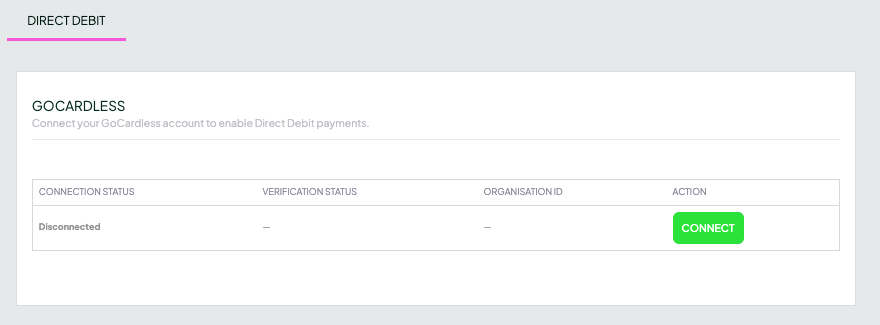
Unconnected account
- Press Connect
- You'll be redirected to the GoCardless portal to confirm the connection.
- Once confirmed, return to the Acquired Hub. The page now shows:
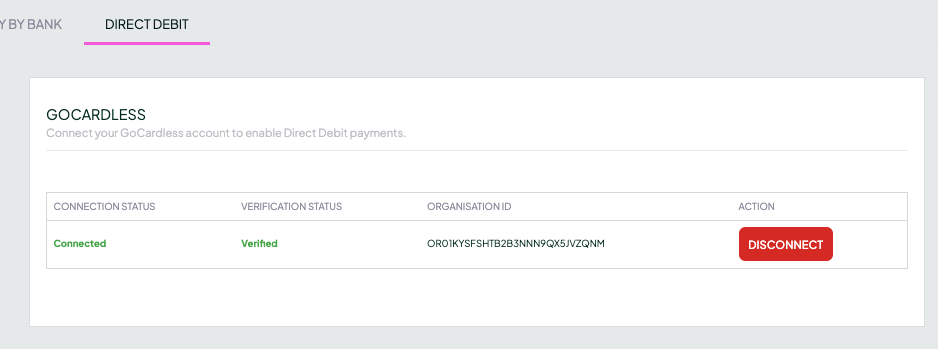
A connected account
The above shows:
- Connection Status: Connected
- Verification Status: Verified, or unverified if GoCardless haven't yet fully approved your account as part of the official onboarding process.
- Organisation ID: populated with your GoCardless organisation ID
- The Connect buttton is replaced with Disconnect
Connection Status and Verification Status are separateYou can be Connected while still Unverified. Verified means GoCardless has fully approved your account and it's ready to use, until then, treat it as not yet ready for live Direct Debit collections
FAQ's
Do I need to connect GoCardless in both QA and PROD?
No, Acquired sets up your QA account automatically.
For production you need to follow the steps above.
What's the difference between Connected and Verified?
Connected just means the two accounts are linked. Verified means GoCardless has fully approved your account as part of onboarding. You can be Connected but still Unverified. Don't treat the account as ready for live Direct Debit collections until it shows Verified.
Can Acquired connect the account for me?
No. This step must be completed by the merchant, as it requires authentication within your own GoCardless account.
Does this replace GoCardless onboarding?
No. You create your GoCardless account as part of onboarding; this is the separate step of linking that account to Acquired.
Updated 22 days ago